
Business 2026-06-01
B2B Cold Calling - 7 Metrics That Tell You If Automation Makes Sense
How do you know if cold calling automation makes sense? These 7 metrics give you the answer in 10 minutes.
8 min read
GLOSSARY
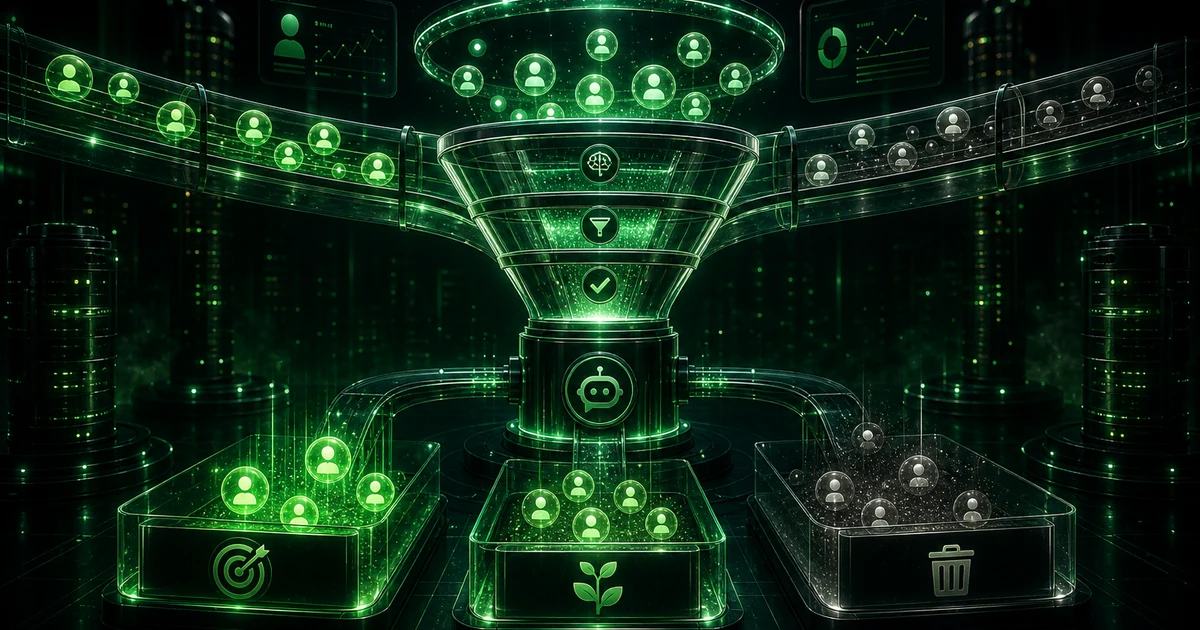
Voicebot lead scoring assigns hot/warm/cold ratings (or 0–100) based on budget, timeline, location, authority, and need answers. Sales teams receive only conversation-ready leads - the rest go to nurturing or follow-up.
You configure rules in the conversation script. Each answer adds or subtracts points.
Qualification collects data and yes/no decisions. Lead scoring prioritizes - which qualified leads should reps call first.
After the call, Coldbot writes score, disposition, and transcript to CRM. Hot leads can auto-create tasks or trigger follow-up sequences.
Example Coldbot rule
Score ≥ 70 → “Hot”, CRM task in 15 min. Score 40–69 → “Warm”, email follow-up. Score < 40 → “Cold”, reactivation in 30 days.
Call analytics show which questions correlate with closed deals. Iterate rules every 2–4 weeks without rewriting the full script.
Lead scoring is not an abstract label - it shapes daily decisions in cold calling and lead qualification. Sales leaders use it when designing scripts, choosing telephony stack, and defining what “good” looks like in call analytics. In Coldbot deployments, teams align this concept with measurable outcomes: connect rate, qualified meetings, cost per meeting, and time-to-first-contact after a form fill. A practical workflow: document your current manual process, map which steps a voice agent can own (dialing, qualification, booking), configure integrations so data never sits in a recording, then run a supervised pilot before full list volume. Review transcripts weekly with reps so script changes reflect real objections heard on the line.
Teams new to voice AI often optimize for the wrong thing - voice aesthetics instead of meeting conversion, or they scale volume before the script handles top objections. Another failure mode is treating the CRM as optional: without automatic write-back, reps duplicate work and trust in the system drops. Finally, ignoring compliance (DNC lists, calling hours, recording disclosure) creates legal risk that outweighs any efficiency gain. Coldbot onboarding explicitly covers these pitfalls with guardrails, disposition codes, and integration tests before production dialing.
FAQ
Yes. Custom criteria, thresholds, and post-call actions (CRM, email, callback).
Yes. Score is computed during the call and visible in dashboard and CRM after hang-up.
Compare lead→meeting and lead→deal conversion by score segment in analytics.
Yes in Coldbot dashboard. CRM integration automates sales handoff.
Concepts like latency, TTS, or tool calling are included in the platform - you do not buy separate API products. Plans cover telephony, voice, CRM sync, and support.
Build on Coldbot
Pick platform capabilities, launch a ready-made agent script, and connect CRM, calendars, and custom API.
Explore capabilities that power voice agents end to end, from calling and coaching to CRM-ready outcomes.
Browse featuresIndustry scripts with qualification flows, objection handling, and meeting booking—ready after you wire up your stack.
Browse templatesCRM, calendars, communication channels, and custom connectors—so every conversation lands where your team already works.
Browse integrationsBook a demo — we'll connect this concept to features, templates, and integrations.
No commitment · Reply within 24h
Blog
Guides on voice AI, outbound sales, and automation.
How do you know if cold calling automation makes sense? These 7 metrics give you the answer in 10 minutes.
8 min read
I look at the future of cold calling. Voice bots already do 60% of a rep's work. In 2 years - 90%.
8 min read
The script is 80% of voice bot success. I show you the 3 most common script mistakes and how to fix them. Ready-made examples.
10 min read
Powered by

Cookies and privacy
We use only essential cookies by default. Analytics cookies are loaded only after you opt in.
See the cookies and privacy policies for details. Cookies policy · Privacy policy